XML Role Analyzer & Tech Stack Decision Tool
Select your primary technology stack and use case to see where XML fits in your architecture.
Front-End
UI, React, VueBack-End
Server, DB, APIsFast/Light
JSON, RESTStrict/Validated
Enterprise, SOAPAnalysis Result
Verdict
Recommended Approach
Why this choice?
Common Use Cases
Performance Comparison
Relative efficiency for your selected scenario
Here is the short answer: XML is neither strictly front-end nor strictly back-end. It is a data interchange format that lives in the middle, acting as a bridge between the two worlds. If you are trying to slot it into one side of your mental map, you will likely get confused because its job is to carry information across the gap.
Think of a restaurant. The kitchen is the back-end, preparing the food. The dining room is the front-end, where customers eat. XML is like the standardized ticket that travels from the kitchen to the waiter, ensuring the order details (one burger, no pickles) are understood correctly by both sides. It doesn't cook the food, and it doesn't serve it directly to the customer's mouth. It just ensures the data moves safely.
The Historical Context: Why This Confusion Exists
To understand why people argue about whether XML is front-end or back-end, we have to look at how the web used to work. In the early 2000s, XML was everywhere. Before JSON became the dominant standard for APIs, XML was the primary way servers sent structured data to browsers.
Back then, developers used XSLT (Extensible Stylesheet Language Transformations) to transform XML data into HTML right inside the browser. Because this transformation happened on the client side, many assumed XML was a front-end technology. Meanwhile, enterprise systems used XML to store configuration files and database records, making it look like a back-end tool. Today, that dual role has shifted, but the legacy remains.
How XML Functions in the Back-End
In modern development, XML is heavily utilized on the server side. It is not usually served directly to users anymore. Instead, it powers the infrastructure behind the scenes.
- Configuration Files: Frameworks like Java Spring or older versions of .NET rely on XML files to define application settings, dependency injections, and security rules. These files live on the server and dictate how the application behaves.
- Enterprise Data Exchange: Large corporations often use XML for SOAP (Simple Object Access Protocol) services. When bank A talks to bank B, they might exchange complex XML documents because the format is rigid, self-describing, and supports strict validation through schemas.
- Database Storage: Some databases allow storing semi-structured data in XML columns. This is useful when you need to preserve the hierarchy of data without flattening it into simple rows and columns.
In these scenarios, XML is purely a back-end concern. The user never sees it. It is the plumbing that keeps the engine running.
Where XML Touches the Front-End
While less common now, XML still has visible roles in the front-end layer. However, it rarely acts as the primary structure of a webpage anymore. That job belongs to HTML.
- Sitemaps: Search engines like Google use
sitemap.xmlfiles to crawl websites efficiently. While generated on the back-end, this file is accessed by external agents (crawlers) and defines the public structure of your site. - Cross-Origin Resource Sharing (CORS): Sometimes, headers and error responses related to CORS policies can involve XML-based standards, though JSON is taking over here too.
- SVG Graphics: Scalable Vector Graphics (SVG) are actually written in XML. When you embed an SVG icon on a website, you are embedding XML code directly into the DOM. This is perhaps the most direct "front-end" use of XML today, as it renders visual elements.
Even in these cases, XML isn't doing the heavy lifting of layout or interaction. JavaScript handles the logic, CSS handles the style, and HTML handles the content. XML is just delivering specific payloads.
XML vs. JSON: The Shift in Web Architecture
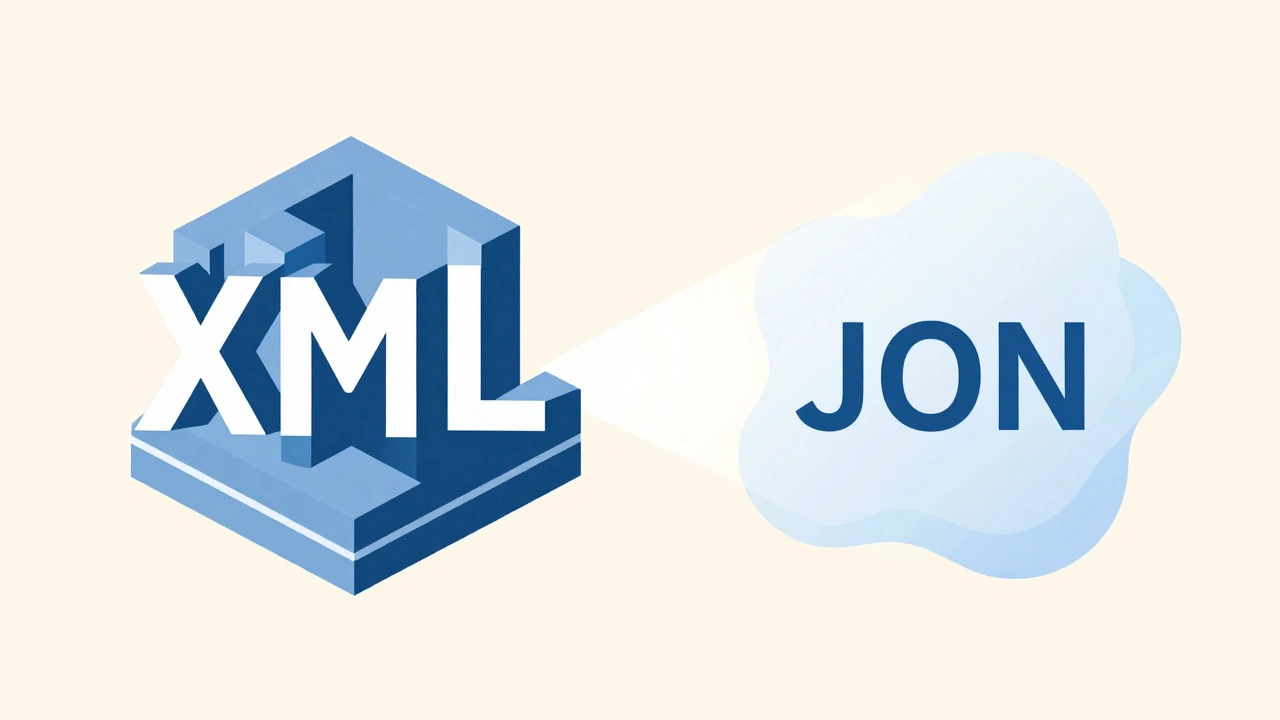
If you are learning web development today, you might wonder why anyone uses XML when JSON exists. The shift from XML to JSON changed how we view the boundary between front-end and back-end.
| Feature | XML | JSON |
|---|---|---|
| Human Readability | Moderate (verbose tags) | High (clean syntax) |
| Parsing Speed | Slower (complex DOM tree) | Faster (native object mapping) |
| Validation | Strict (DTD/XSD schemas) | Loose (no native schema enforcement) |
| Front-End Integration | Requires extra libraries | Native JavaScript support |
| Primary Use Case | Enterprise config, SOAP, Documents | REST APIs, Real-time data |
JSON won the battle for RESTful APIs because it maps perfectly to JavaScript objects. In JavaScript, you can take a JSON string and convert it to a usable object with a single function call: JSON.parse(). With XML, you had to traverse a Document Object Model (DOM), query nodes, and extract text content. This friction made XML feel "back-endy" because it was hard to work with on the front-end.
However, XML’s strength lies in its flexibility and validation capabilities. If you are building a system where data integrity is critical-like healthcare records or financial transactions-XML’s ability to enforce strict schemas makes it superior to JSON. This is why it remains entrenched in back-end enterprise systems.
The Verdict: It Is a Transport Layer
So, is XML front-end or back-end? It is a transport protocol for data. It sits in the middleware layer. When you send an API request, the back-end generates XML (or JSON), sends it over HTTP, and the front-end receives it. The format itself does not care which side it is on; it only cares that the structure is valid.
If you are a front-end developer, you will interact with XML mostly when consuming legacy APIs or working with SVG graphics. You don’t need to master XSLT unless you are maintaining older systems. If you are a back-end developer, you will encounter XML in configuration management, microservices communication, and integration with third-party enterprise tools.
Understanding this distinction helps you choose the right tool. Don’t force XML into a modern React or Vue application if JSON will do the job faster and cleaner. But don’t dismiss XML either. It is still the backbone of countless enterprise applications that power the global economy.
Is XML considered a programming language?
No, XML is not a programming language. It is a markup language. It does not have logic, variables, or functions. It simply defines the structure of data. You cannot write an algorithm in XML alone; you need languages like Java, Python, or JavaScript to process XML data.
Should I learn XML in 2026?
You should know enough XML to read and parse it, but you do not need to be an expert. Most new web APIs use JSON. However, understanding XML is crucial for working with enterprise systems, sitemaps, and certain configuration files. It is a valuable skill for full-stack developers who need to integrate with legacy systems.
Why did JSON replace XML for APIs?
JSON replaced XML primarily because it is lighter, easier to read, and natively supported by JavaScript. Parsing JSON is faster and requires less code than parsing XML. Additionally, JSON maps directly to data structures in most modern programming languages, making it more convenient for front-end and back-end communication.
Can I use XML for front-end styling?
Not directly. XML itself has no visual representation. However, you can use XSLT to transform XML into HTML or CSS, which can then be styled. In practice, this approach is rare in modern web development due to performance issues and complexity. SVG, which is based on XML, is used for vector graphics and can be styled with CSS.
What is the difference between HTML and XML?
HTML is designed for displaying data, while XML is designed for carrying data. HTML has a fixed set of tags (like <p>, <div>, <a>) defined by the W3C. XML allows you to create your own custom tags (like <book>, <price>, <author>). HTML is lenient with errors, whereas XML is strict and must be well-formed to be processed.