WordPress Development Roadmap
Select your current role and desired functionality to see the required tech stack.
There is a persistent myth floating around internet forums that you can build anything on WordPress is a content management system (CMS) used by over 40% of all websites globally. Known for its flexibility, it allows users to manage digital content without always touching code. without writing a single line of programming code. While page builders make this possible for simple brochure sites, relying solely on visual editors hits a hard wall the moment you need custom functionality. If you want true control over your site’s behavior, performance, and security, understanding the underlying technology is non-negotiable.
The question isn't really whether you must code to use the platform. You can install the software and publish articles without knowing what a function looks like. However, the moment you decide to customize a layout beyond preset options or integrate a complex third-party service, the lack of coding knowledge becomes a bottleneck. This guide breaks down exactly which languages drive the engine, how they interact, and where you need deep expertise versus surface-level awareness.
The Core Four Languages
To modify WordPress effectively, you are primarily dealing with four specific technologies. These form the backbone of every installation, regardless of whether you are tweaking a theme or building a bespoke plugin.
- HyperText Markup Language (HTML): This is the skeleton of your pages. Even if you use the Gutenberg Editor is the default block editor in WordPress introduced in version 5.0. Often called "The Block Editor", it changed how content is structured in recent years. , you are technically interacting with HTML blocks. Knowing how divs, sections, and headings work helps you debug layout issues when your content breaks on mobile devices. You don't need to memorize every tag, but reading HTML in the 'Code Editor' view is essential.
- Cascading Style Sheets (CSS): This controls the look and feel. Most basic styling is handled by the active theme, but customizing button colors, spacing, or typography usually requires CSS. In 2026, FSE (Full Site Editing) is a feature allowing editing of entire site templates via block elements. This reduces some traditional CSS dependency but increases reliance on global styles files. tools exist, but knowing CSS properties like Flexbox or Grid saves hours of fighting with theme settings panels.
- JavaScript: This handles interactivity. If you have sliders, dynamic menus, or AJAX shopping cart updates, JavaScript is doing the heavy lifting. WordPress core relies on it heavily, especially since the shift to block-based architecture. Understanding how scripts are enqueued prevents conflicts that lead to broken forms or slow loading times.
- PHP: This is the heart of the engine. Unlike the client-side languages above, PHP runs on the server. It fetches data from the database and sends it to the browser. Without PHP, WordPress doesn't function. Any deep customization-like creating custom post types or modifying the loop-requires solid PHP logic.
The Database Connection
You might not write queries daily, but understanding how data is stored is vital for performance optimization. WordPress stores all your posts, comments, user profiles, and settings in a relational database, typically MySQL is an open-source relational database management system. Used by most hosting providers, it stores WordPress tables. or MariaDB. When you optimize images or clean up spam comments, you are altering records in these tables.
While SQL injection risks are mitigated by modern WordPress preparations, a developer needs to understand table relationships. For instance, knowing that the `wp_posts` table holds content while `wp_postmeta` holds extra attributes helps diagnose why a custom field isn't saving correctly. You rarely query directly unless debugging complex plugins, but ignoring the database layer is how sites start lagging under load.
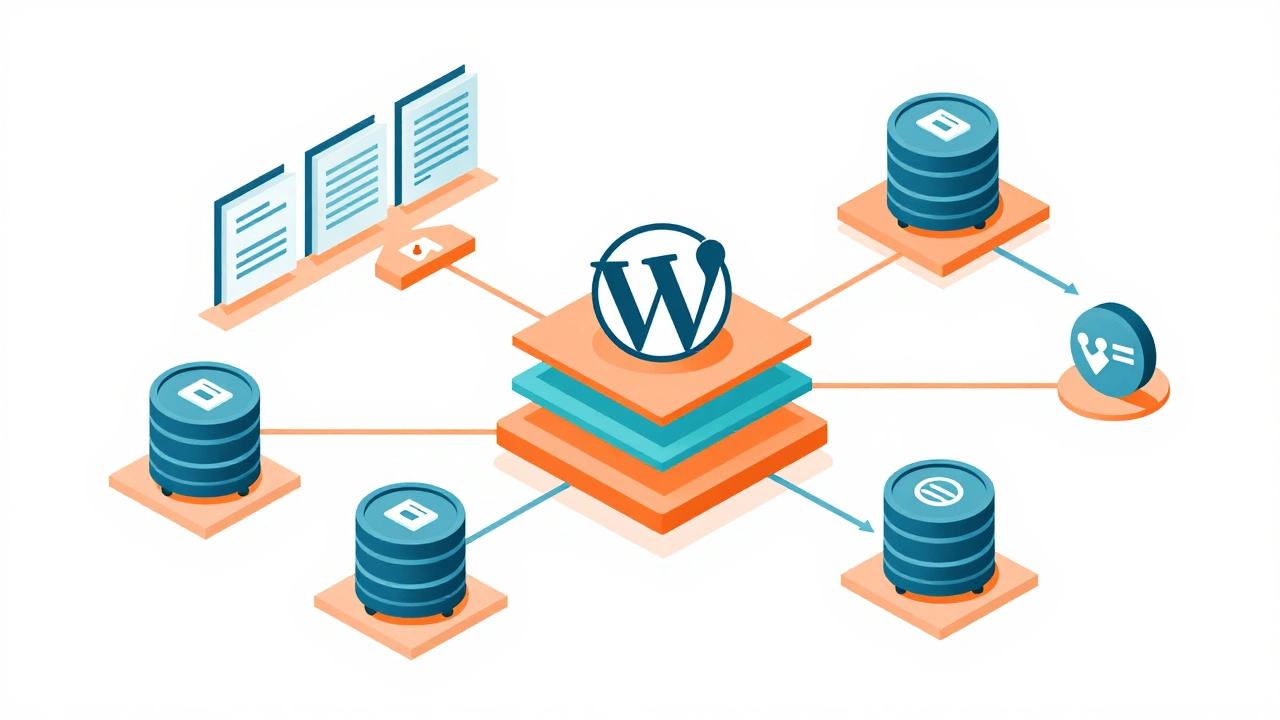
Understanding the Ecosystem Architecture
Coding in WordPress isn't just about typing syntax; it is about understanding where that code lives. The ecosystem relies on a specific file structure that dictates how your changes persist through updates.
Child Themes vs. Parent Themes
You should never edit a parent theme directly. As soon as the theme provider pushes an update, your edits vanish. Instead, you use a child theme. This setup inherits styles and functions from the parent but keeps your modifications separate in the child directory. This follows the principle of least surprise for version control.
Hooks, Filters, and Actions
One of the smartest features of the platform is the hook system. Instead of rewriting core files, developers attach code to specific points in the execution flow. An 'action' triggers a piece of code at a set moment (like right after a post is saved). A 'filter' modifies data before it is displayed (like changing the excerpt length). Mastering these APIs allows you to extend functionality without hacking the core software, which preserves security and maintainability.
Modern Development: Blocks and React
If you started learning five years ago, you remember the classic editor. Today, the landscape has shifted toward full-block compatibility. The Gutenberg ecosystem utilizes React.js is a JavaScript library for building user interfaces. Developed by Facebook, it powers the block editor UI. internally to render components dynamically. If you are building custom blocks, you need modern JavaScript proficiency. This includes ES6+ syntax, component structures, and state management.
Why does this matter? Because many premium themes now ship as block themes (.json template files) rather than PHP templates. You are moving away from purely PHP-driven layouts to hybrid designs where JSON schemas define structure. Ignoring this shift means your custom blocks won't work with future WordPress versions.
When Page Builders Fail You
Visual editors are great for speed, but they often produce bloated HTML. Here are specific scenarios where you absolutely need to drop back to raw code:
- Performance Optimization: Builders inject thousands of lines of unused CSS. Writing a custom theme loads only the assets you actually use, improving Time To First Byte (TTFB).
- Unique Data Structures: If you are selling event tickets or managing inventory, standard posts aren't enough. You need Custom Post Types (CPT) and custom taxonomies, which require PHP registration.
- Security Hardening: Default configurations can be vulnerable. Customizing `wp-config.php` or adding nonce verifications in forms requires reading source code confidently.
- API Integrations: Connecting to a CRM or ERP system usually involves the REST API is the native JSON-based API introduced in WordPress 4.7. It allows external apps to read/write site data. . Debugging endpoint failures happens in the HTTP headers and JSON responses, not the visual editor.
A Practical Roadmap for 2026
You do not need to become a computer science engineer to be effective. Focus your learning path based on your goals.
The Basic User Path
Learn to read HTML and tweak CSS. Use a local environment like LocalWP to test changes safely. Never experiment on a live production server.
The Developer Path
Start with PHP fundamentals. Then, learn the WordPress Loop. Build one small plugin that does nothing but output 'Hello World'. Next, try to filter the title of your posts programmatically. Finally, create a custom post type for something relevant to your business, like 'Portfolio Items'.
The Full-Stack Path
Dive into the REST API and GraphQL implementations. Learn to build headless setups where WordPress acts solely as a backend CMS while the frontend is built with Vue or another framework. This is the trend dominating high-performance enterprise sites right now.
Do I need to know PHP for WordPress?
You need PHP knowledge if you plan to modify theme functions or build plugins. For basic publishing and using visual builders, it is optional, but highly recommended for troubleshooting.
Is JavaScript still relevant for WordPress themes?
Yes. Modern block themes rely heavily on JavaScript for interactive elements. If you want to customize how blocks behave or add complex animations, you will need to understand the script.
Can I build WordPress plugins without coding?
No, not reliably. While low-code tools exist, a functional plugin is essentially a collection of PHP files. Automation cannot fully replace custom logic required for unique integrations.
What is the fastest way to learn WordPress development?
Build a local child theme that overrides a standard TwentyTwentyFour block pattern. This forces you to read the template files and understand how the block chain processes data visually.
Does WordPress support other programming languages?
It is primarily PHP-based, but developers can use Python or Node.js externally to communicate via the REST API for backend processing tasks.