WordPress Learning Path Finder
Select the description that best matches your current experience to see your recommended learning path and difficulty level.
No-Code User
I use visual builders (Elementor/Divi) and install themes/plugins.
Customizer
I can write some CSS and occasionally tweak the functions.php file.
Pro Developer
I build custom plugins and themes from scratch using PHP and JS.
Your Path: The Visual Architect
You've mastered the 'LEGO' phase. To move forward, stop relying solely on settings panels and start learning the "skin and bones" of the web.
1. Learn basic HTML structure (divs, spans, headers).
2. Explore CSS (colors, fonts, margins).
3. Install LocalWP to practice without breaking a live site.
Your Path: The Theme Modifier
You're in the transition phase. You know how to follow recipes, but it's time to learn the chemistry of WordPress.
1. Create a Child Theme (Essential safety rule!).
2. Learn basic PHP (Loops, Arrays, and Functions).
3. Experiment with Actions and Filters (Hooks).
Your Path: The Systems Engineer
You are handling the 'mountain' part of development. Now it's about optimization and modern architecture.
1. Master the Block Editor (Gutenberg) using React.
2. Optimize database queries using the WP Database API.
3. Implement version control with Git for professional workflows.
You've probably heard that anyone can build a website with WordPress in ten minutes. And sure, if you're just installing a theme and clicking 'publish' on a few posts, that's true. But there's a massive difference between being a WordPress user and a WordPress development is the process of creating custom themes, plugins, and functional modifications for the WordPress CMS. Also known as WP Dev, it transforms a basic blog into a powerful business tool.
The real question isn't whether it's 'hard,' but where the wall is. For some, the wall is just learning how to tweak a CSS file. For others, it's diving into the depths of the database to optimize query speeds. If you can handle a bit of frustration and a few broken pages along the way, you'll find that the learning curve is more like a series of small steps than one giant cliff.
Главное: Quick Summary
- Easy start: Basic site setup and visual builders require zero code.
- Medium difficulty: Customizing themes and writing basic CSS/HTML.
- Advanced level: Creating custom plugins and deep PHP logic.
- The Secret: You don't need to be a computer scientist, but you do need to understand how the web works.
The Three Levels of WordPress Mastery
To understand if this is hard, we need to talk about what you actually want to do. Most people lump everything into 'development,' but it's actually three different jobs.
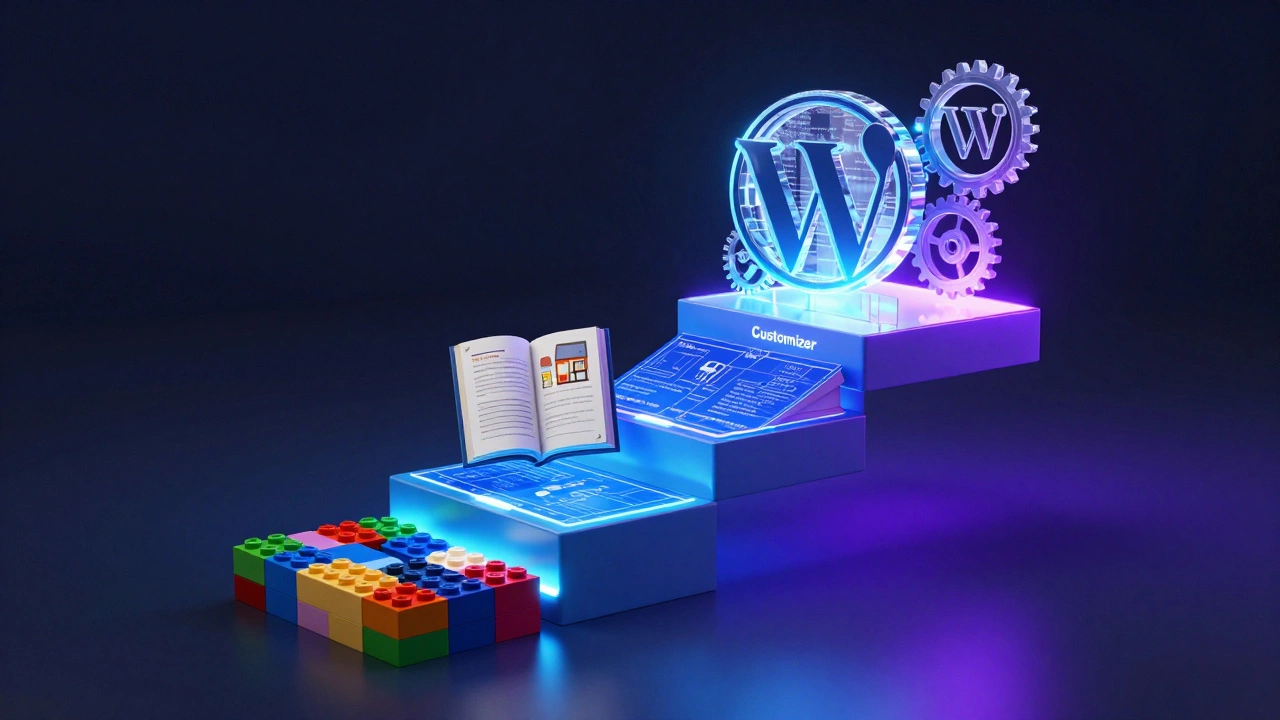
First, there's the No-Code Builder. This is where you use tools like Elementor or Beaver Builder. You're dragging blocks and changing colors. Is this hard? Not at all. It's basically like playing with digital LEGOs. The only 'hard' part here is design taste-making sure the site doesn't look like it was made in 2004.
Then you have the Customizer. This is where you start touching the code. You might go into the 'Additional CSS' box to change a font color or add a snippet to the functions.php file to change how the checkout page looks. This requires a basic understanding of CSS and a little bit of logic. It's a bit like learning to cook with a recipe; you don't need to know why the chemistry works, you just need to follow the steps.
Finally, there's the Core Developer. This is the 'hard' part. You're building WordPress plugins from scratch or creating a fully bespoke theme that doesn't rely on any pre-made builders. You're dealing with hooks, filters, and the WordPress Database API. This is where the real engineering happens. If you've never written a line of code, this will feel like a mountain. If you already know some programming, it's just another framework to learn.
The Technical Toolkit: What You Actually Need to Learn
You can't just wake up and be a developer; you need a toolkit. The beauty of WordPress is that it's built on a very stable, traditional stack. You don't have to keep up with a new JavaScript framework every two weeks like you do in the React world.
The backbone of everything is PHP. Since WordPress is written in PHP, you can't do serious development without it. You don't need to be a master, but you should understand arrays, loops, and functions. For example, when you want to display a list of the latest five posts, you'll be using a PHP loop to tell WordPress, "Go get the posts and print them here."
Next is HTML and CSS. These are the skin and bones of your site. If PHP is the brain, HTML is the skeleton and CSS is the paint. You'll spend 70% of your time fighting with CSS to make a button stay in the center of a page. It's a rite of passage.
Finally, there's JavaScript. While not strictly required for basic themes, it's essential for anything interactive. If you want a popup, a sliding gallery, or a live search bar, you'll need JS. With the introduction of the Block Editor (Gutenberg), JavaScript-specifically React-has become way more important. If you want to build custom blocks, you're essentially building a React app inside WordPress.
| Level | Required Skills | Learning Time | Difficulty (1-10) |
|---|---|---|---|
| No-Code | Visual Builders, basic UI logic | Days | 2 |
| Customizer | HTML, CSS, Basic PHP | Weeks/Months | 5 |
| Pro Developer | Advanced PHP, React, SQL, Git | Years | 8 |
Why People Struggle (and How to Avoid It)
Most people who find WordPress development 'hard' are actually just overwhelmed. They try to learn everything at once. They jump into a complex tutorial for a custom plugin before they even understand how to change the background color of a header.
Another huge pitfall is relying too much on plugins. When a site breaks, a beginner often just installs *another* plugin to fix the first one. This creates a "plugin soup" where nothing works, and the site slows to a crawl. A real developer knows that sometimes the best solution is deleting a plugin and writing ten lines of code in the functions.php file instead.
Then there's the issue of documentation. The official WordPress Codex is great, but it can feel like reading a legal contract. It's dense. The trick is to use a mix of official docs and community forums. When you hit a wall, search for the specific error message on Stack Overflow. You'll find that someone else had the exact same problem in 2014, and the solution usually still works.
The Learning Path: From Zero to Dev
If you're starting today, don't just "start coding." Follow a logical path so you don't burn out.
- Master the Basics: Learn how to install WordPress locally using a tool like LocalWP. This lets you break things without taking a live website offline.
- Learn the 'Holy Trinity': Spend two weeks on HTML, then two weeks on CSS, then dive into basic PHP. Don't try to master them-just get comfortable enough to read them.
- The Child Theme Route: Never edit a parent theme directly. Learn how to create a Child Theme. This is the single most important safety rule in WordPress development. If you don't use a child theme, your custom code will vanish the moment you update your theme.
- Experiment with Hooks: Learn about Actions and Filters. These are the secret sauce of WordPress. They allow you to "hook" your own code into the WordPress core without actually changing the core files.
- Build a Simple Plugin: Start by creating a plugin that does one tiny thing-like adding a custom message to the end of every post. Once you see that work, the magic clicks.

Is it Worth It in 2026?
With the rise of AI site generators and platforms like Wix or Squarespace, you might wonder if learning this is a waste of time. The answer is a hard no. Why? Because businesses don't want "generic." They want specific workflows. They want a membership site that integrates with their specific accounting software, or a custom booking system for a niche medical practice.
An AI can build a page, but it can't architect a complex business system. That's where the human developer comes in. WordPress powers over 40% of the web for a reason: it's flexible. If you know how to develop for it, you aren't just a "WordPress guy"-you're a solution provider. You can charge a premium because you're solving a business problem, not just installing a theme.
The market is shifting. There are fewer "basic" jobs, but the high-end jobs-performance optimization, security auditing, and custom API integrations-are more in demand than ever. If you move past the "easy" stuff, you're entering a space with much less competition and much higher pay.
Do I need to be a pro at PHP to start?
No. You only need a basic understanding of how PHP works. You can start by copying snippets and modifying them. As you get more comfortable, you can study the language deeper. Most WordPress devs learned PHP *through* WordPress, not before it.
What is the hardest part of WordPress development?
The hardest part is usually transitioning to the Block Editor (Gutenberg). Because it relies on React and JavaScript, it's a completely different mental model than the old PHP-based templates. Learning the JavaScript side of WordPress is where most developers hit a wall.
Can I learn this using only free resources?
Absolutely. Between the official WordPress Developer Handbook, YouTube tutorials, and free coding sites like freeCodeCamp, you have everything you need. The only thing you really need to pay for is a decent hosting plan or a domain name when you're ready to go live.
How long does it take to become a proficient developer?
If you're starting from scratch, expect 3-6 months of consistent practice to handle custom themes and basic plugin work. To reach a 'professional' level where you can architect complex systems, it usually takes 1-2 years of real-world project experience.
Will AI replace WordPress developers?
AI will replace the people who only know how to install plugins. It won't replace developers who understand the architecture, security, and business logic of a site. In fact, AI tools like GitHub Copilot actually make developers faster by handling the repetitive boilerplate code.
Next Steps for Your Journey
If you're feeling overwhelmed, just remember: you don't have to build the next WooCommerce today. Start small. Install LocalWP on your laptop and try to change the color of your footer using a child theme. Once you see that change happen, you've already started. The "hard" part is just a series of small problems that you haven't solved yet. Just take them one at a time.