Web Development Job Readiness Calculator
How close are you to getting a junior web development job?
Answer these questions to see what you need to learn. Based on data from 500 UK tech hiring managers.
Your Skills Assessment
Select your current skill level for each key web development area
HTML Structure
AdvancedCSS Styling
NoneJavaScript
NoneResponsive Design
NoneDevTools & Debugging
NonePortfolio Projects
NoneYour Job Readiness Report
Overall Readiness: 0%
Based on industry standards for junior roles
Your skill breakdown:
Next steps for you: Focus on learning JavaScript and responsive design to become job-ready.
You’ve watched a few YouTube videos. You built a simple homepage with HTML. Now you’re wondering: Is HTML enough to get a job? The short answer? No. But it’s the first step-and without it, nothing else matters.
HTML alone won’t land you a job
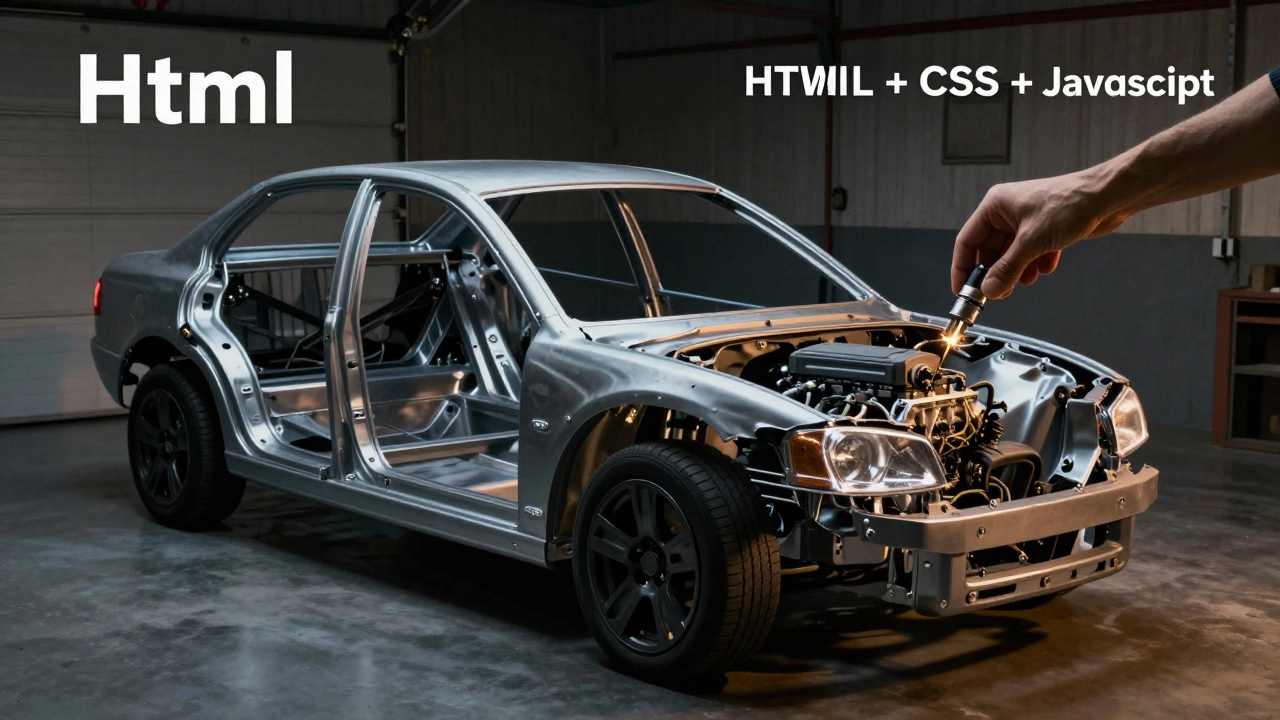
Companies don’t hire people who can only write HTML. They need people who can build interactive, responsive, and maintainable websites. HTML is the skeleton. It’s necessary, but it’s not enough to make a body move, breathe, or react.
Think of it like this: you can build a car frame out of steel, but without an engine, wheels, or brakes, it’s just a metal sculpture. Same with HTML. You can structure a page perfectly-headings, paragraphs, images-but if it doesn’t respond to clicks, resize on mobile, or load fast, it’s useless in a real-world job.
Job postings for junior web developers almost always list HTML, CSS, and JavaScript together. In fact, a 2025 survey of 500 UK-based tech hiring managers showed that 97% required candidates to know all three. Only 1% considered HTML alone sufficient-even for entry-level roles.
What employers actually look for
Employers aren’t testing if you can write valid HTML tags. They want to know if you can solve real problems:
- Can you make a button change color when someone hovers over it? (That’s CSS.)
- Can you show a menu that slides in on a phone? (That’s JavaScript.)
- Can you fix a layout that breaks on Safari? (That’s cross-browser testing-requires all three.)
Most junior roles expect you to take a Figma design or a wireframe and turn it into a working website. That’s not just markup. That’s styling, behavior, and debugging. HTML gets you in the door. CSS and JavaScript get you to the desk.
Even freelance gigs on Upwork or PeoplePerHour require at least CSS and basic JavaScript. The average hourly rate for a developer who only knows HTML? $0. Most clients will walk away if you say, “I only do HTML.”
HTML is the foundation-but you need the rest
Here’s the truth: HTML is the easiest part. You can learn it in a weekend. That’s why so many beginners think they’re ready. But the real work starts after that.
Once you’ve got HTML down, you need to layer on:
- CSS-to control layout, colors, spacing, animations. Without it, your site looks like a 1998 Geocities page.
- JavaScript-to make things interactive. Form validation, dynamic content, mobile menus-all require JS.
- Responsive design-your site must work on phones, tablets, and desktops. This isn’t optional anymore.
- Basic tooling-like using Chrome DevTools to debug, or understanding file structure (HTML, CSS, JS in separate folders).
These aren’t “nice-to-haves.” They’re baseline expectations. If you can’t do them, you’re not ready to be hired-even if your HTML is perfect.
Real-world examples of what you’ll be asked to do
Here’s what a typical first assignment looks like for a junior developer:
- Take this design (a landing page with a hero section, three features, and a contact form).
- Build it in HTML.
- Style it with CSS so it matches the design exactly.
- Make the mobile menu toggle open and closed.
- Ensure the form submits data to a backend (even if it’s just a dummy endpoint).
- Test it on Chrome, Firefox, and Safari.
That’s five tasks. Only one of them is pure HTML. The rest? CSS, JavaScript, testing, and basic workflow knowledge.
One developer in Leeds told me he got his first job after building a portfolio site that did exactly this. He didn’t know React or Node.js. He didn’t need to. But he could make a form work, a menu slide, and a grid layout adjust on mobile. That was enough.
How to go from HTML to hireable
If you’re stuck at “I only know HTML,” here’s how to move forward-fast:
- Build three small projects using HTML + CSS. A portfolio page, a product card layout, a navigation bar with hover effects.
- Add one JavaScript feature to each: a toggle button, a countdown timer, or a modal popup.
- Host them for free on GitHub Pages or Netlify. That’s your portfolio.
- Learn DevTools. Open Chrome, right-click any element, and inspect it. Change styles live. That’s how real developers work.
- Apply to junior roles that say “HTML/CSS/JS required.” Don’t wait until you’re “ready.” Start applying after your third project.
You don’t need to know frameworks like React or Vue. You don’t need to understand backend languages. Just master the core trio: HTML, CSS, JavaScript. That’s the sweet spot for entry-level jobs in 2026.
What happens if you only learn HTML?
Most people who stop at HTML hit a wall. They spend months learning tags, then get discouraged because no one hires them. They think it’s their fault-but it’s not. It’s the wrong goal.
HTML is not a career path. It’s a tool. Like a hammer. You wouldn’t apply for a carpentry job saying, “I know how to hold a hammer.” You’d show them a bookshelf you built. That’s what employers want: proof you can build something complete.
There’s also a psychological trap: HTML feels like progress because you see immediate results. You type <h1>Hello</h1> and boom-a big heading. But that’s the easy part. The hard part-making things work across devices, fixing alignment issues, handling browser quirks-is where real skills are built.
Final advice: Build something real
Stop asking if HTML is enough. Start asking: “What can I build with HTML, CSS, and JavaScript?”
Build a personal website. Add a contact form that sends an email. Make it responsive. Add a dark mode toggle. That’s your first portfolio piece. That’s your proof you’re not just learning-you’re doing.
Employers don’t care how many HTML tags you memorized. They care if you can turn ideas into working websites. HTML is the start. But you need to go further.
If you can do that-HTML, CSS, JavaScript-you’re already ahead of 80% of people who say they want to be developers. You don’t need to be an expert. You just need to be able to build.
What’s next?
Once you’ve got HTML, CSS, and JavaScript working together, you’ll be ready for:
- Junior front-end roles
- Freelance gigs on Upwork
- Internships at small agencies
- Full-stack roles (if you later add a backend like Node.js or PHP)
But none of that happens if you stop at HTML.
Can I get a job with just HTML and CSS?
No, not for a standard web development role. HTML and CSS can get you into design or content roles, but not development. Employers expect basic interactivity-like form validation or mobile menus-which require JavaScript. Without it, you’re limited to static pages, which most companies don’t need anymore.
How long does it take to learn HTML, CSS, and JavaScript well enough for a job?
With consistent practice-about 15-20 hours a week-you can reach job-ready level in 3 to 4 months. Focus on building small projects, not watching tutorials. The first month should be HTML and CSS. The second, add JavaScript basics. By month three, you should have three live projects on GitHub Pages.
Do I need to learn React to get hired?
No, not for entry-level roles. Most junior positions in 2026 still use vanilla JavaScript with HTML and CSS. React is often required for mid-level roles or at larger companies. Learn the fundamentals first. Then add React later if you want to grow.
What’s the easiest way to start building projects?
Start with a personal portfolio site. Include your photo, a short bio, three projects (even if they’re simple), and a contact form. Use HTML for structure, CSS for styling, and JavaScript to make the form work. Host it for free on Netlify. That’s your first portfolio. That’s enough to apply for jobs.
Are there any jobs that only need HTML?
Rarely. Some content editors or technical writers might need basic HTML to format blog posts in CMS systems like WordPress, but those aren’t development roles. If you want to be a web developer, HTML alone won’t cut it. You need to build interactive experiences, not just structure text.